From one click to bilingual captions in five steps: turn them on, pick a style, make it
yours, save it as a template, and send the whole thing out in another language.
Auto caption generator,based on transcription
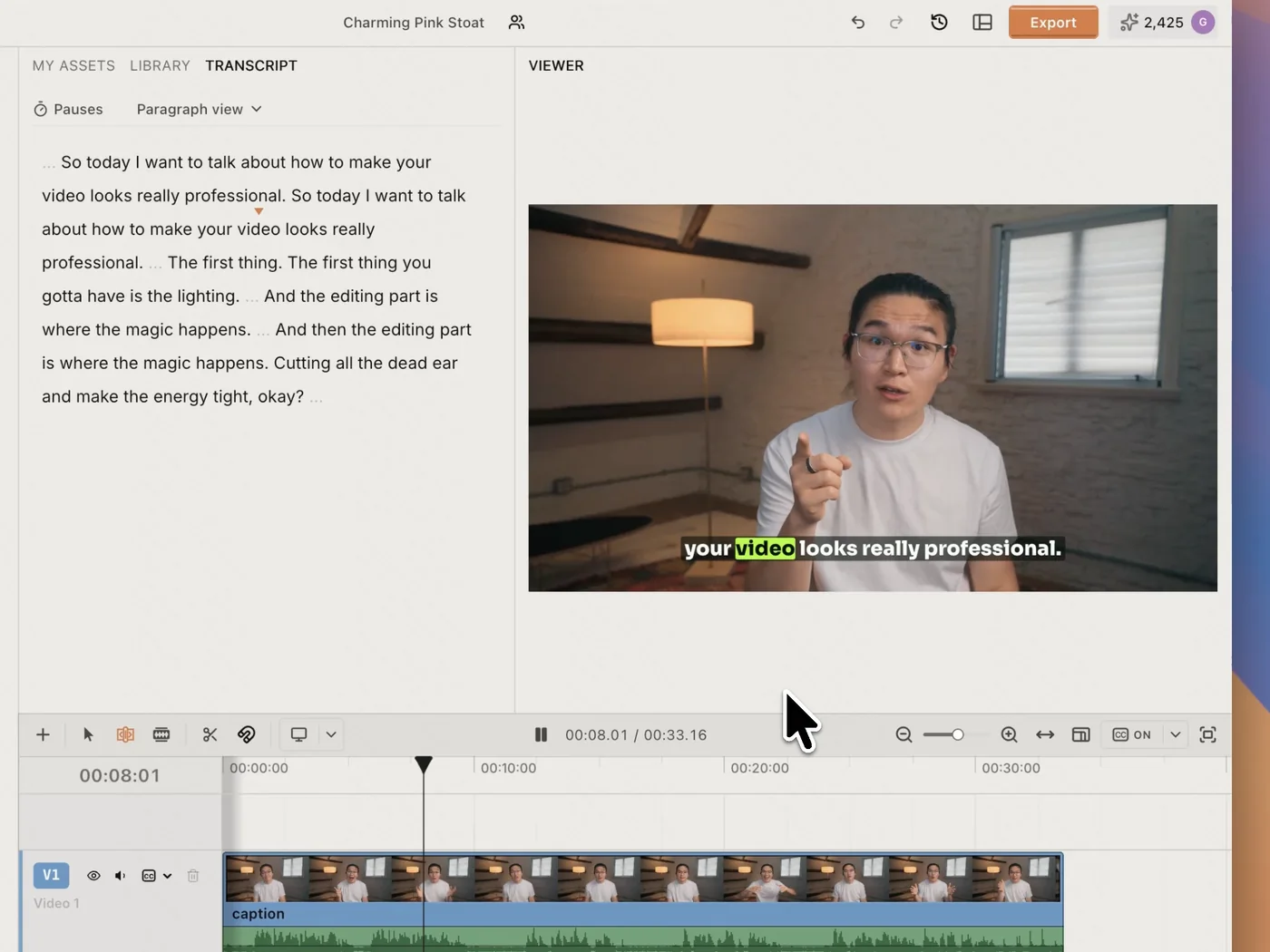
ChatCut transcribes your footage first, then builds the captions from that transcript. Every word keeps its own timing, so nothing drifts.
20+ popular styles,Ready for your creation
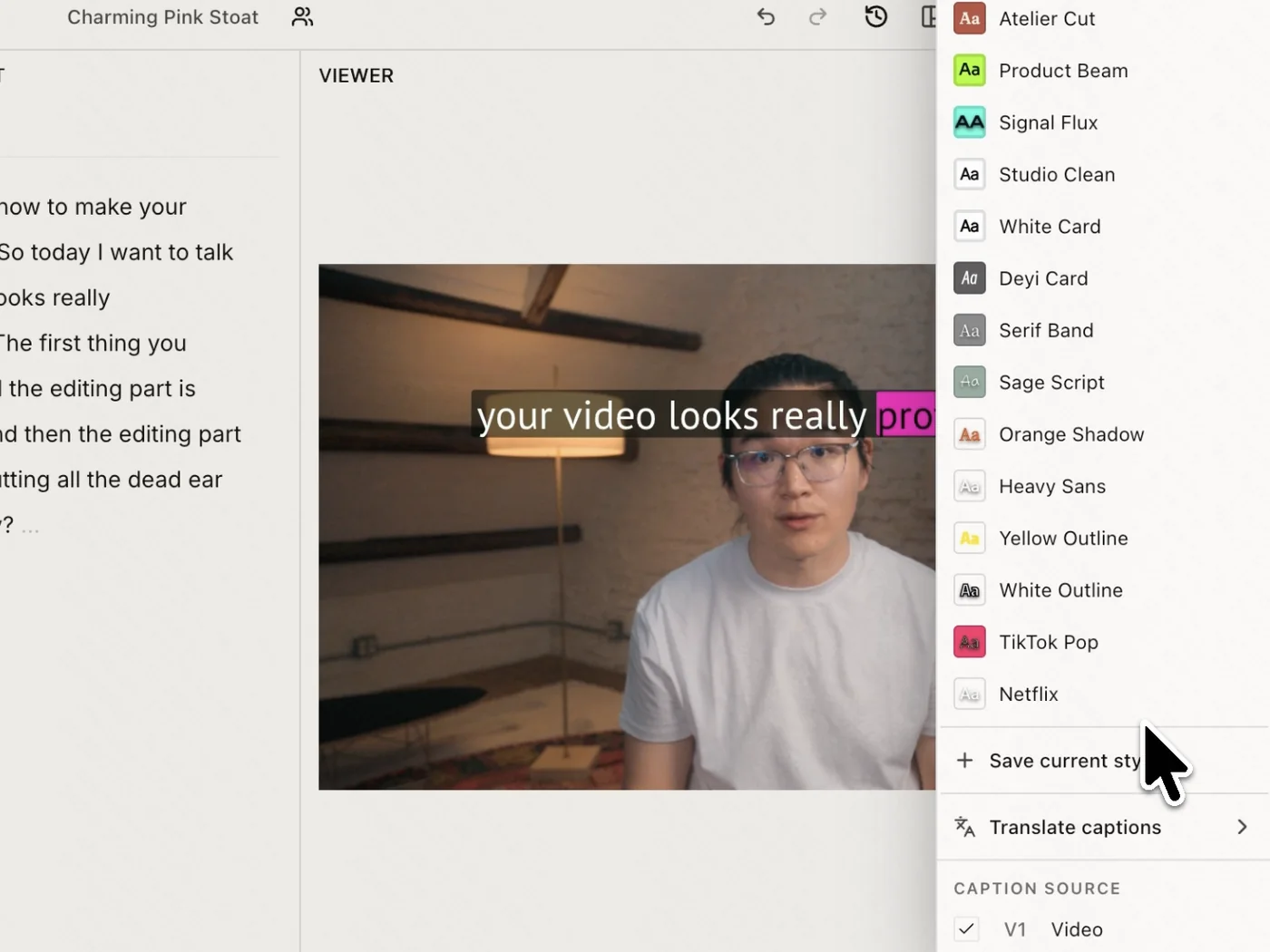
Open the style picker and take your pick, from Netflix clean to TikTok pop. Switching between looks never touches a single timestamp.
Built-in caption editor,Customize and save it
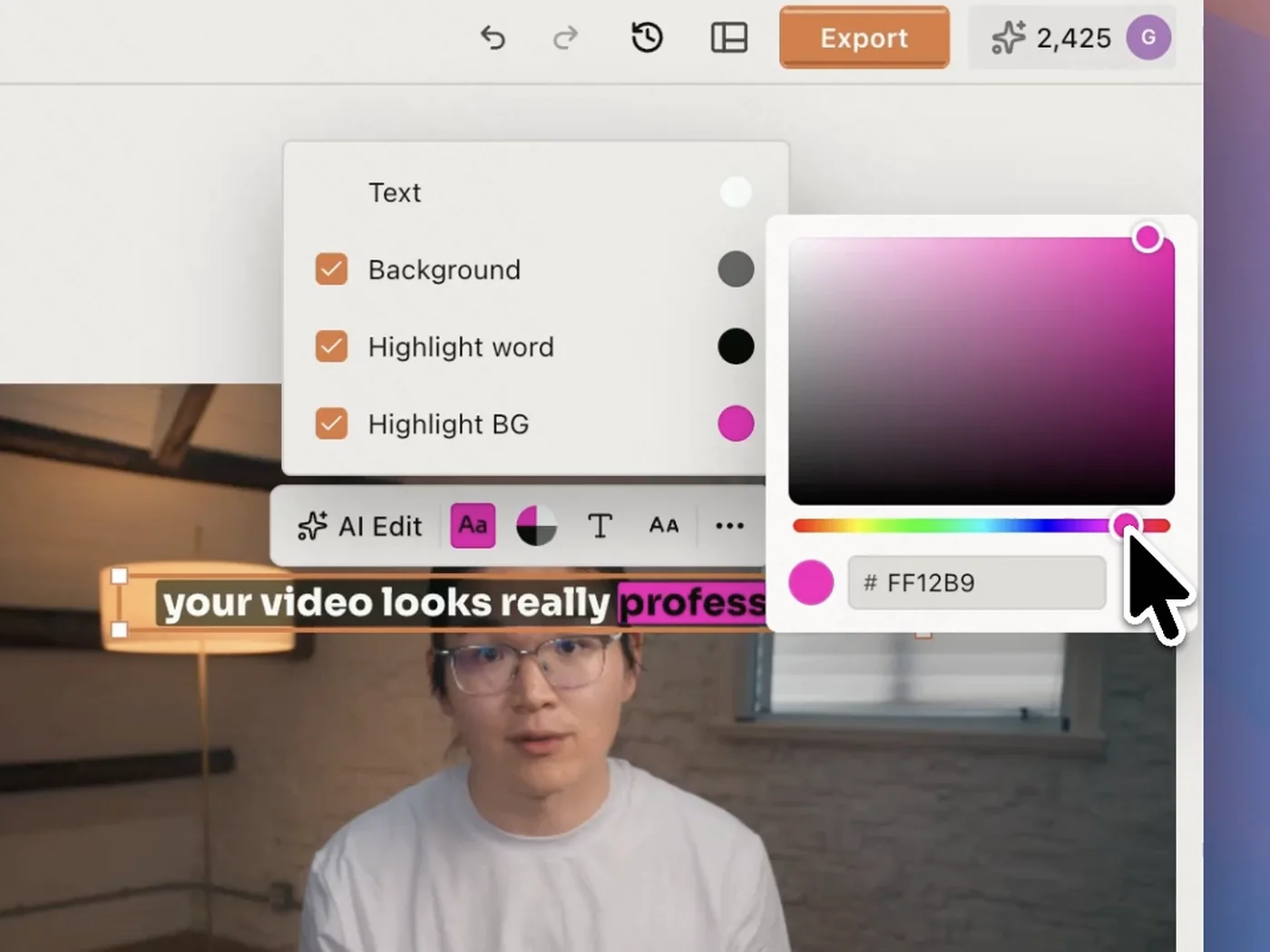
Click any caption to tune it in place: font, size, colors, and the highlight word. Save the result as your own template and reuse it.
Translate the subtitlesinto 100+ languages
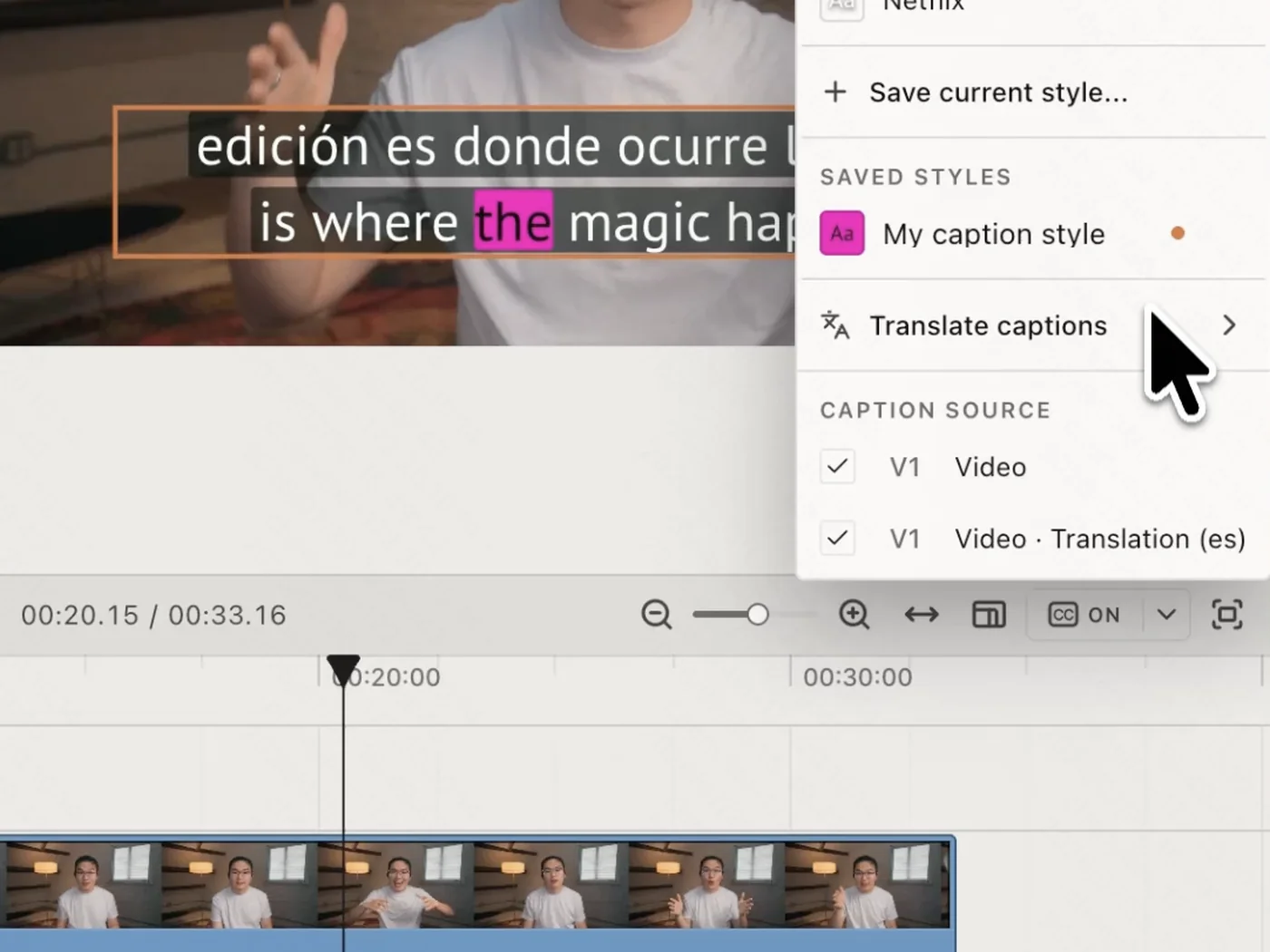
Ask once and your captions cross into 100+ languages, with the original and the translation on separate tracks, timed word for word.
All your tools, on one timeline
Generate clips, edit on a real multi-track timeline, and caption in 32 languages.
Create, edit, and finish a video on desktop, in Codex or any agent, or in the browser.
ChatCut transcribes your footage on upload into a word-level transcript, then turns that transcript into captions timed to each word. Because they come straight from the transcript, they're accurate on the first pass — edit a word in the transcript and the caption updates with it.
Are the subtitles word-level and accurate?
Yes. Every word carries its own timestamp, so captions land on the beat instead of drifting a whole line at a time. Fix any word in the editable transcript and the on-screen caption follows it.
Can I change how the subtitles look?
Captions are a real track on the timeline. Pick from 20+ styles — clean, karaoke, boxed, pop — and restyle font, size, color, and the highlight word in one click; every caption updates at once.
Can I reuse a caption style across projects?
Save the current caption look as a preset and reuse it in any project, so a series keeps one identity without rebuilding the style each time.
What languages are supported?
Captions work in 100+ languages, with the language auto-detected on upload. You can also translate the captions to publish the same clip for a wider audience.
Can I burn subtitles in or export an SRT?
Yes. Burn captions into the video on export, or export a timed caption file (SRT/VTT) to use elsewhere. Word-level timing is preserved either way.
Is it free, and does it work in the browser?
It's free to start, no card required. ChatCut runs in any modern browser on Mac or Windows with nothing to install, and heavy renders happen in the cloud so your machine isn't tied up.